


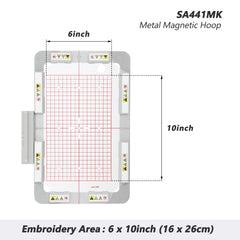
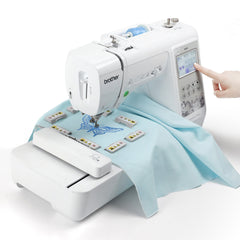
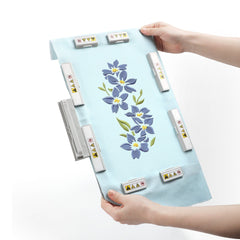
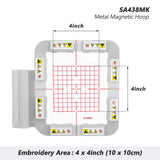
SewTech’s 6"×10" (160×260 mm) long-bar magnetic hoop for Brother Innov-ís NQ, VM, Stellaire and Luminaire machines and the matching Baby Lock models.
Room for jacket backs, large monograms, quilt blocks and multi-position designs. Eight long bars keep even the heaviest fleece and canvas flat across the whole field.
Why SewTech long-bar magnetic hoops
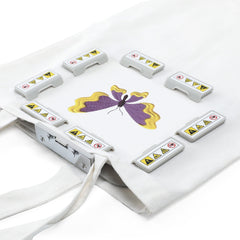
- Long-bar magnets, not spot magnets. Each bar clamps along the full edge of the frame for even pressure, so fabric stays flat with no shifting or puckering.
- Hoop in seconds. Lay your stabilizer and fabric on the base, set the magnets, and go — no screws, no wrestling an inner ring.
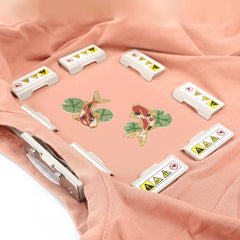
- Handles thick and tricky materials. Towels, denim, fleece, knits and canvas all hoop without hoop burn.
- Easy to straighten. Lift one magnet, nudge the fabric, set it back down. No re-hooping.
- Soft-coated base frame. Protects delicate fabrics and keeps them from sliding while you stitch.
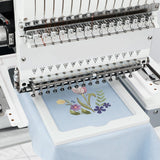
- Peg-style connection that seats directly in your machine’s hoop slot, just like the factory hoop.
What’s in the box
- SA441MK magnetic hoop, 160×260 mm
- 8 long-bar magnets
- Grid template
Works with these current Brother & Baby Lock models: Brother NQ1700E, NQ3550W, VM5200, Stellaire XJ1, Stellaire XJ2, Stellaire XE1, Stellaire XE2, Luminaire XP1, Luminaire XP2, Luminaire XP3, Aveneer EV1; Baby Lock Flare, Meridian 2, Aerial, Altair 2, Radiance.
Also fits (per SewTech): Brother NQ3700D, NQ1600E, NQ3600D, NQ1400E, NQ1300, VM6200D, VM5100, V3, BP1530L, BP1430L, NV1500D, VE2200, VE2300, 2800D, NV870, NV880E; Baby Lock Flourish, Flourish 2, Destiny 2.
How to use
- Mark the center of your design on the fabric.
- Lay stabilizer, then fabric, over the bottom frame and line up your marks with the grid template.
- Set the long-bar magnets one at a time, smoothing the fabric flat as you go.
- Slide the hoop into your machine and stitch.
A magnetic hoop must fit within your machine’s maximum embroidery field — match the hoop size to your machine. Not sure? Call or stop by any ICanHelpSew location and we’ll confirm the fit for your model.